Beer Trails
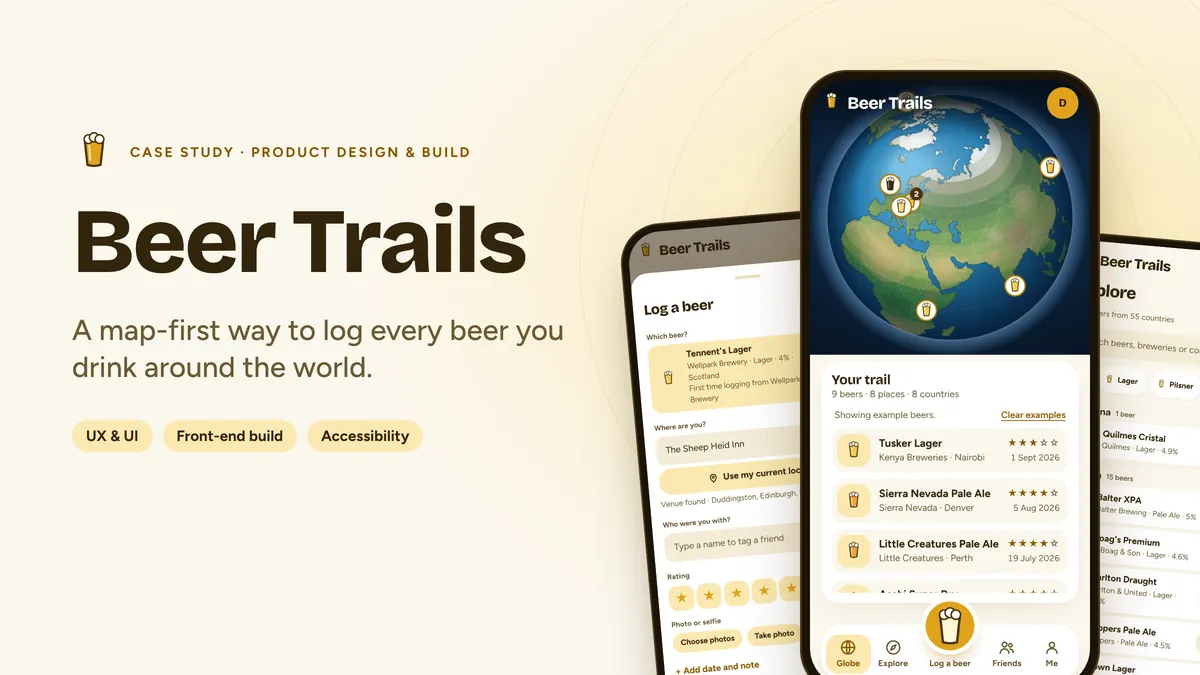
A travel-diary style web app that turns every beer you drink into a pin on a globe. I designed it in Figma, then built and launched it as a working app anyone can try.
- Role
- Product design, UX, UI and front-end build
- Type
- Personal project, live and installable
- Tools
- Figma, JavaScript, d3, Claude
Overview
Beer Trails sits somewhere between a travel diary and a beer log. You can see where you were, what you were drinking and who you were with, all on one map.
The globe is the home screen. Every beer you log becomes a pin, so over time the app turns into a map of your own trips, nights out and discoveries.
The gap
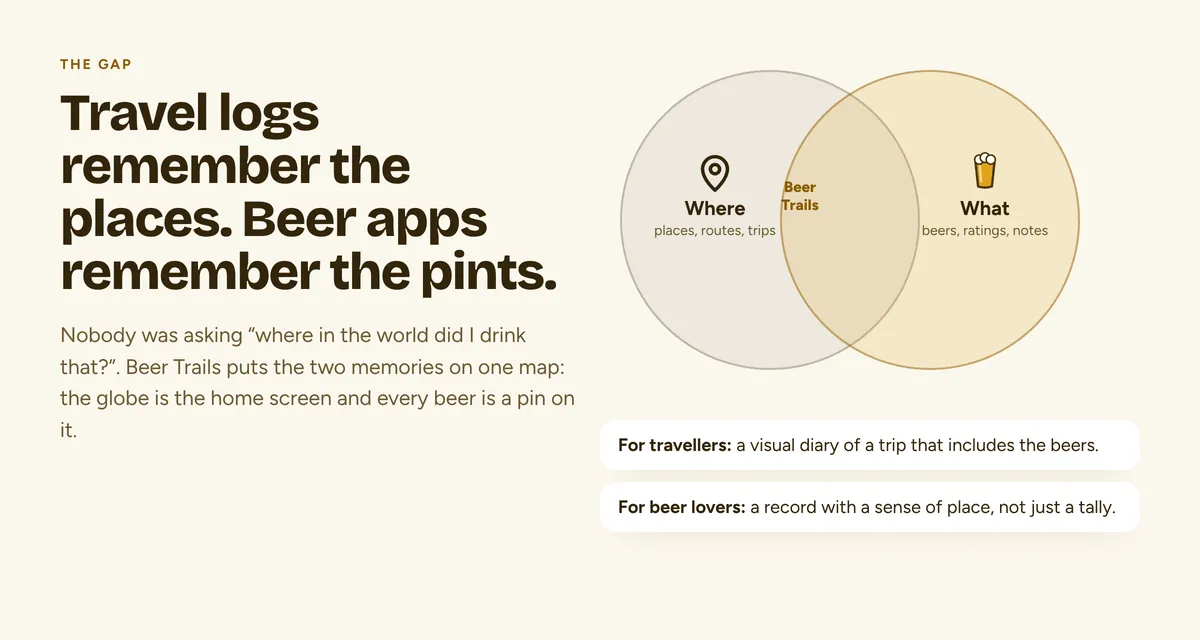
Travel logs remember the places. Beer apps remember the pints. Nothing I found put the two memories on one map, so I made the globe the home screen and every beer a pin on it.
The brief I set myself
- Make logging a beer feel as quick as taking a photo.
- Make the result worth looking at, so people come back to the globe.
- Keep it calm and uncluttered, with one job done well.
Process
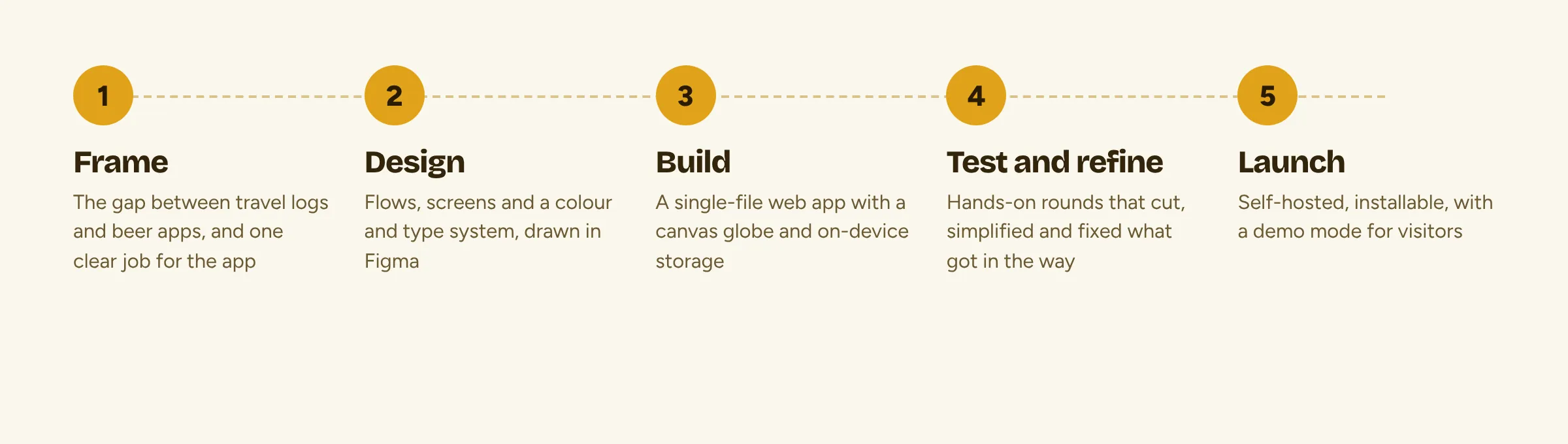
I worked in five loops: frame the problem, design in Figma, build, test and refine, then launch. Design and build overlapped, so I was always judging screens in a real browser on a real phone, not only on a canvas.
How it works
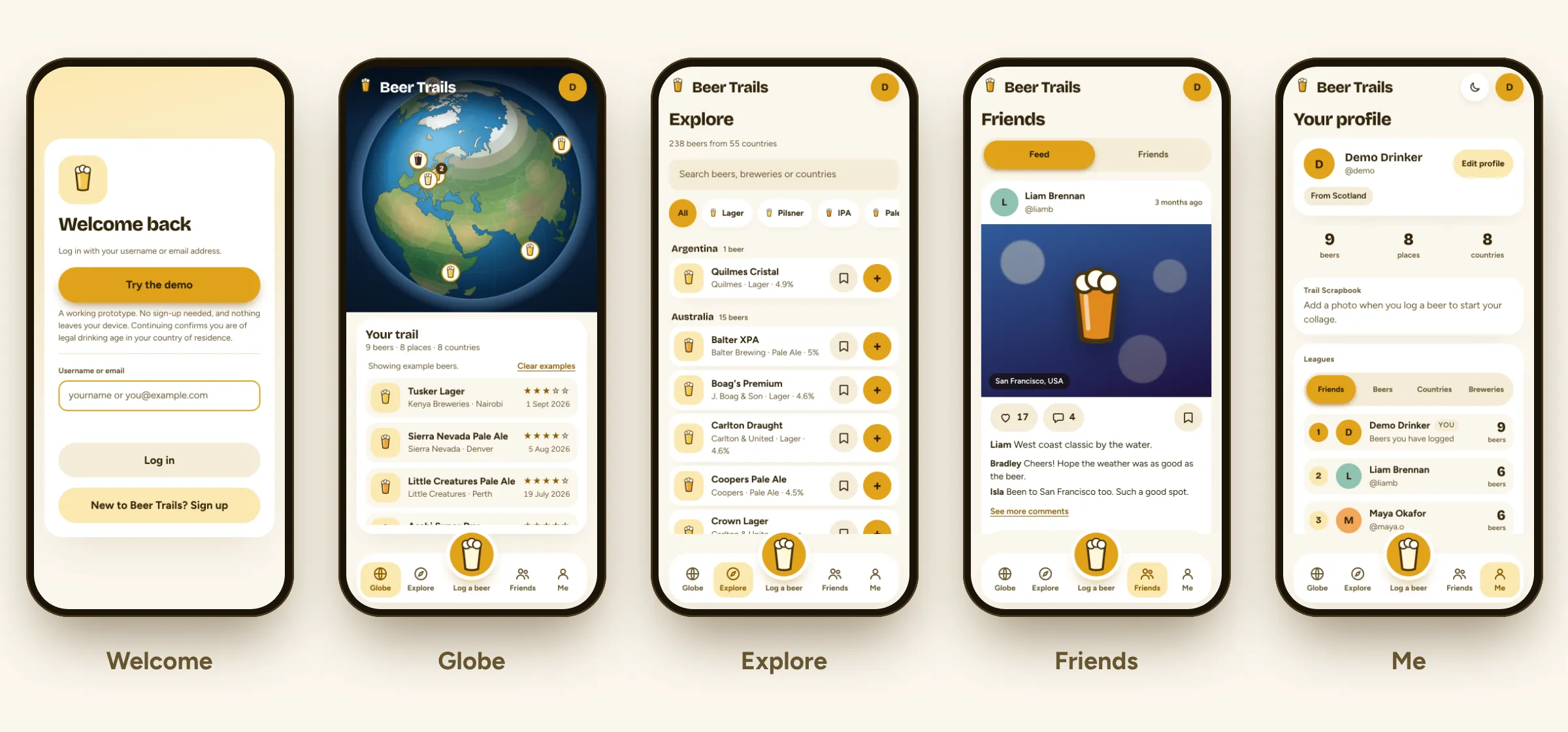
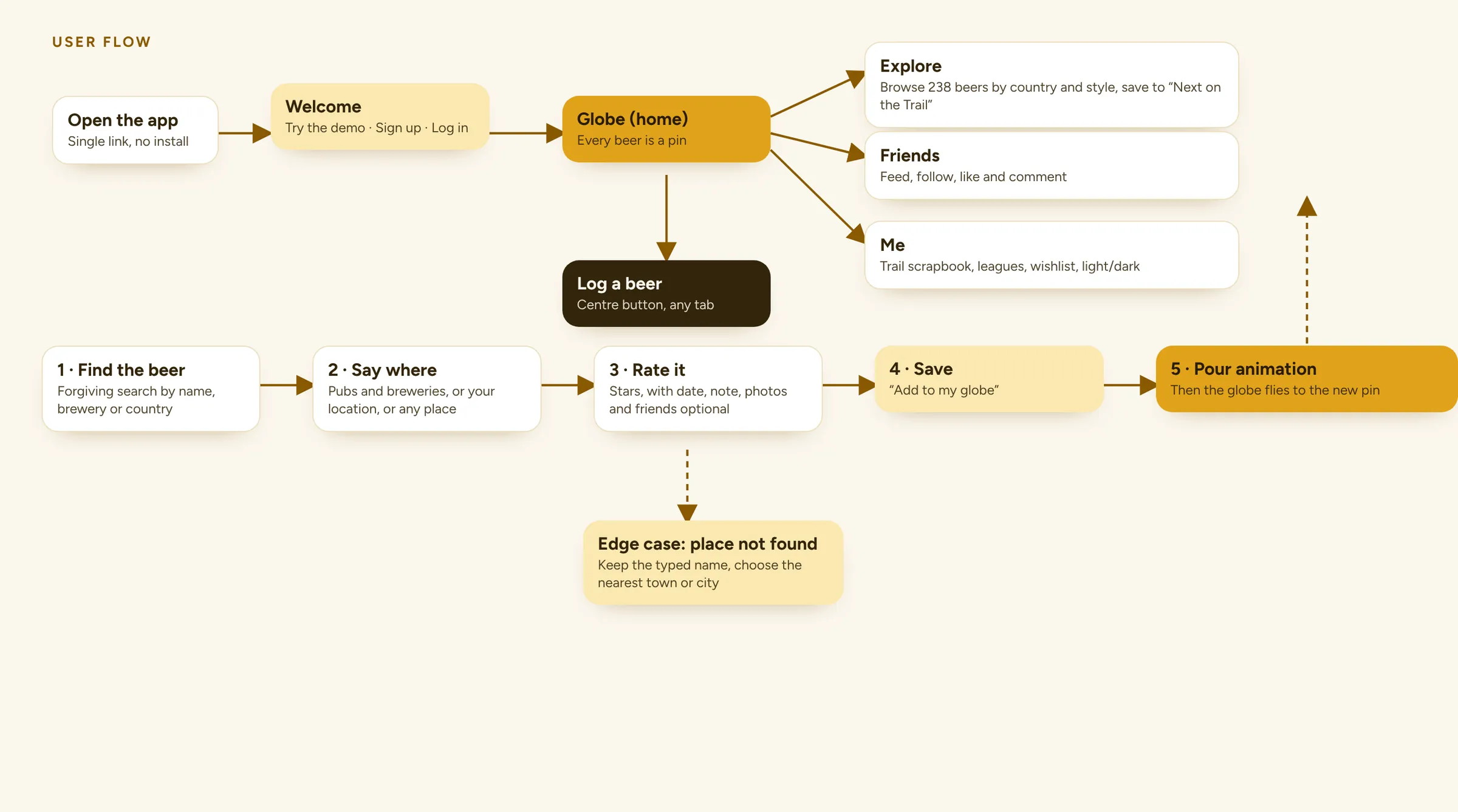
The app has five sections: Globe, Explore, Log a beer, Friends and Me. The big button in the middle logs a beer from anywhere.
Logging a pint in three taps
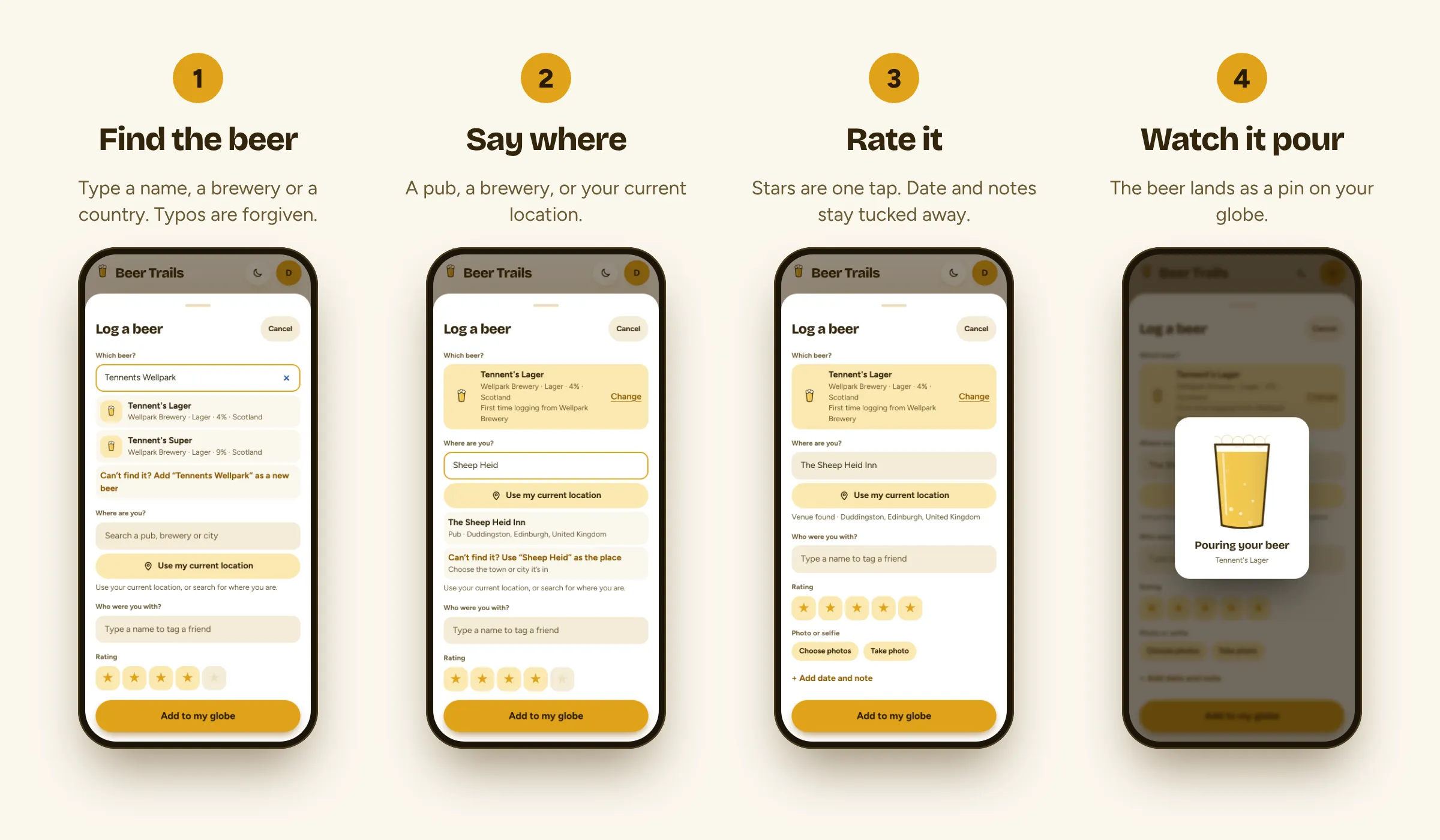
Find the beer, say where you drank it, then rate it. When you save, a short pour animation plays and the globe flies to the new pin, so every log ends with a small reward.
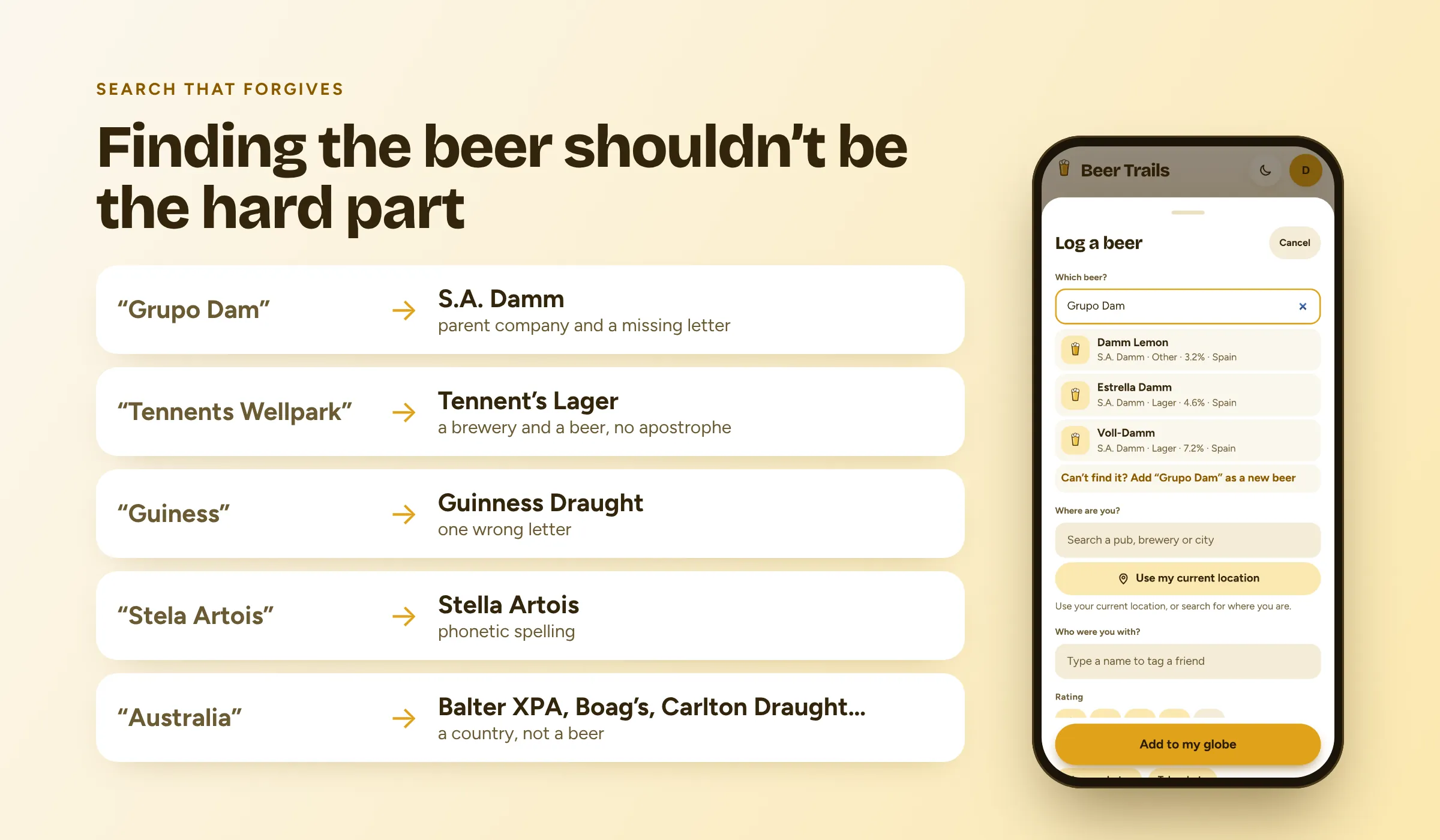
Search that forgives typos
People misspell breweries and use the names printed on the can, not the marketing name. Search folds accents, ignores filler words like “brewery” and “grupo”, tolerates typos and knows common alternate names.
“Heinekin”, “Guiness” and “Grupo Dam” all find the right result. Searching for a beer only shows beers, never breweries.
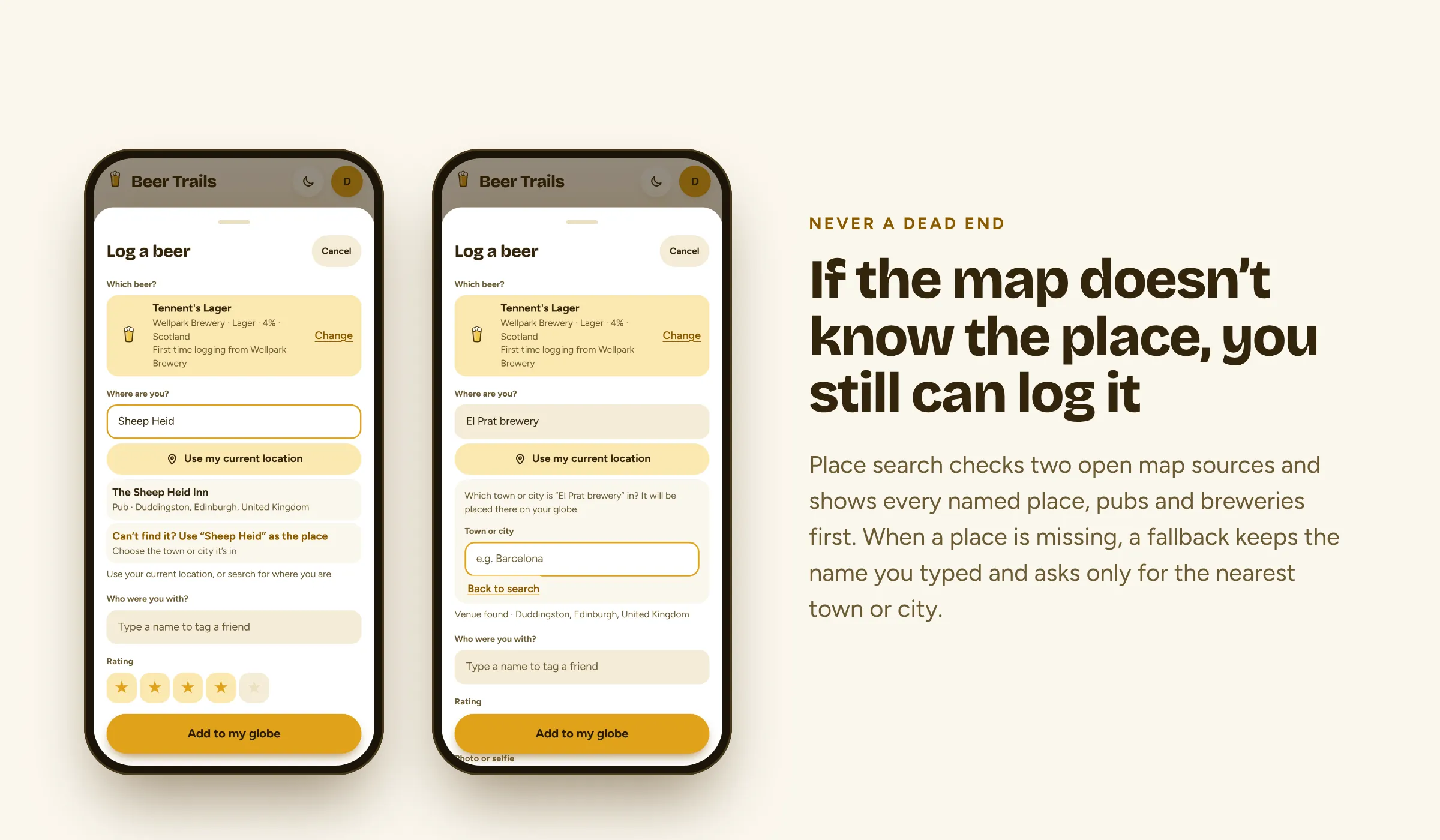
Never a dead end when picking a place
Some venues aren't in any map database. Rather than stopping people with an empty list, the app keeps what they typed and asks for the nearest town or city, so every beer can still land on the globe. “Use my current location” stays available, with a friendly message if location permission is off.
Design
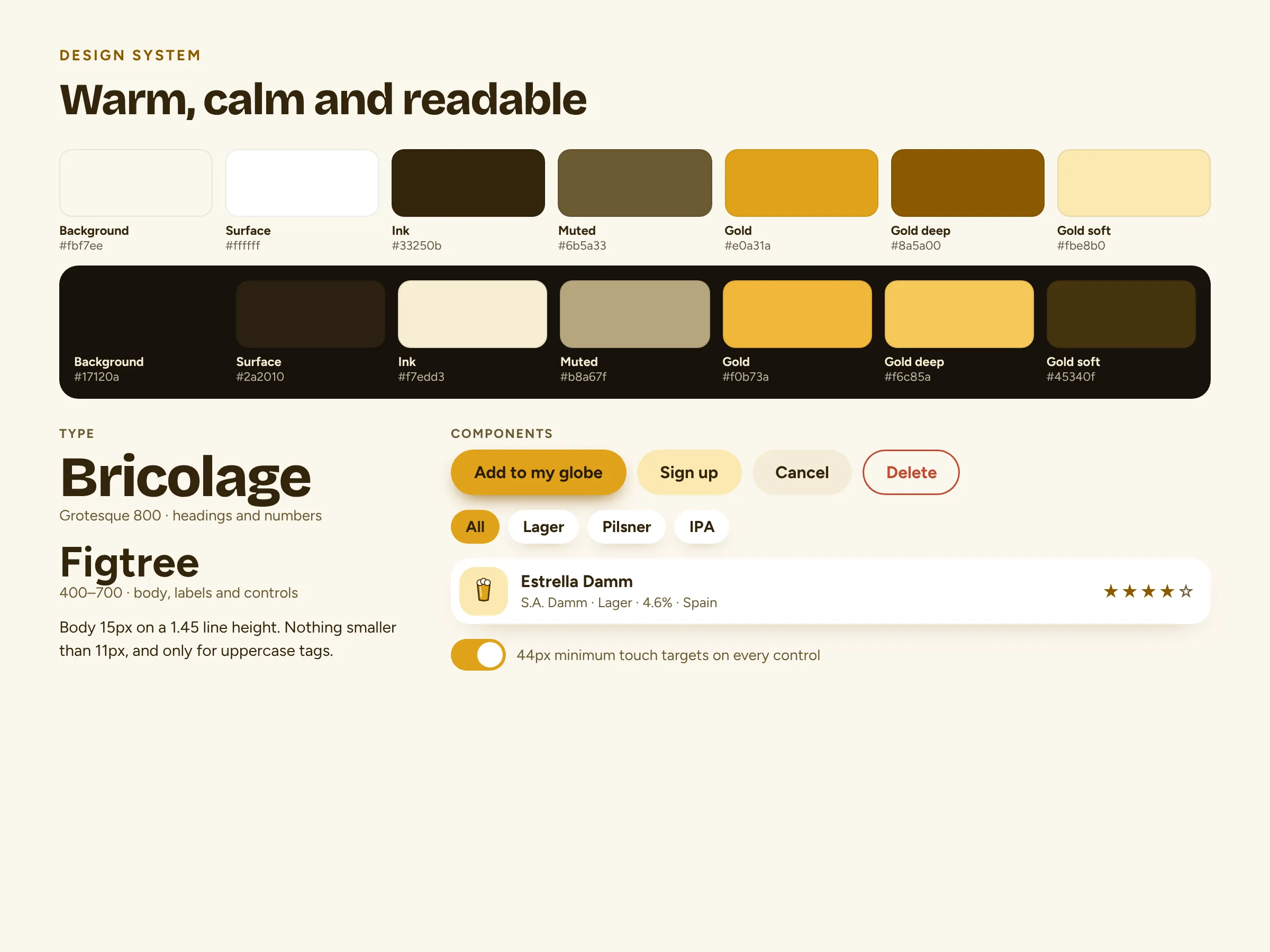
A warm, calm palette of cream, ink and gold, with a dark theme tuned separately rather than simply inverted. Bricolage Grotesque carries headings and numbers; Figtree handles everything else.
Light and dark
Both themes were designed screen by screen, so the globe, gold accents and cards feel equally at home at noon or in a dim pub.
Accessibility
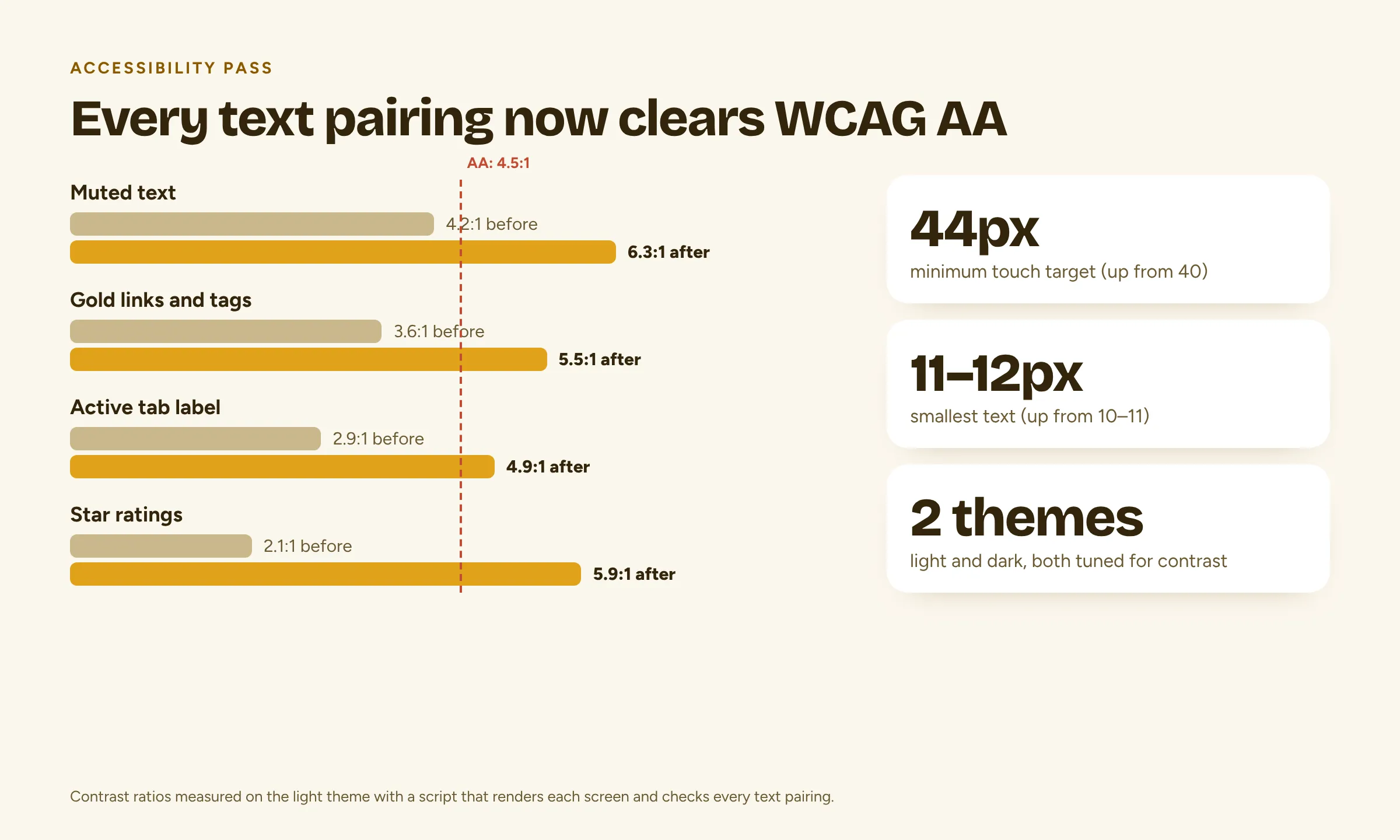
I audited the app by rendering each screen and checking every text pairing for contrast. Muted text, gold links and tags, the active tab label and star ratings were all below 4.5:1, and now pass WCAG AA. Touch targets are at least 44px and the smallest text is 11–12px.
Works on desktop too
The layout is built for phones but responds all the way up to desktop, so nobody needs to install anything to try it.
What I cut
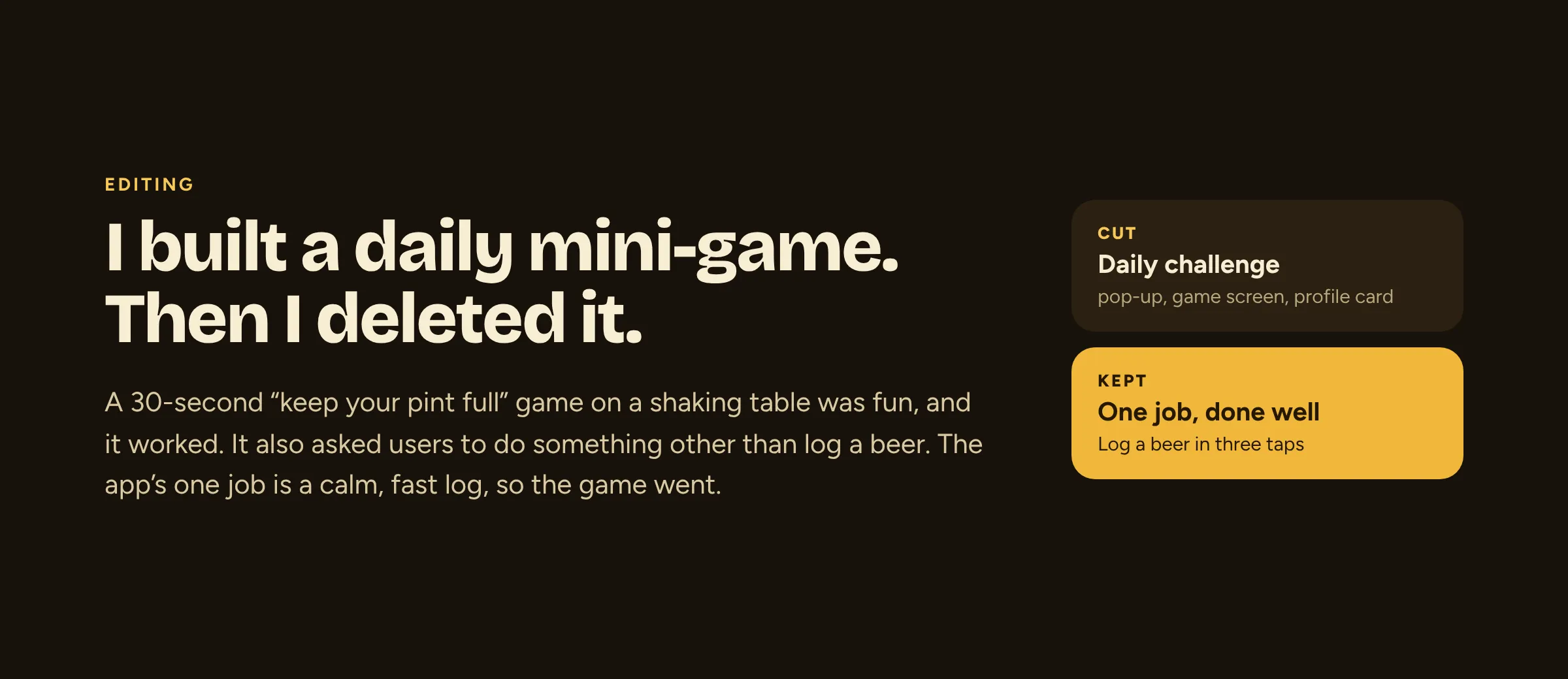
I built a daily mini-game, and it worked. But it asked people to do something other than log a beer, so I removed it to keep the app focused on its one job.
Under the hood
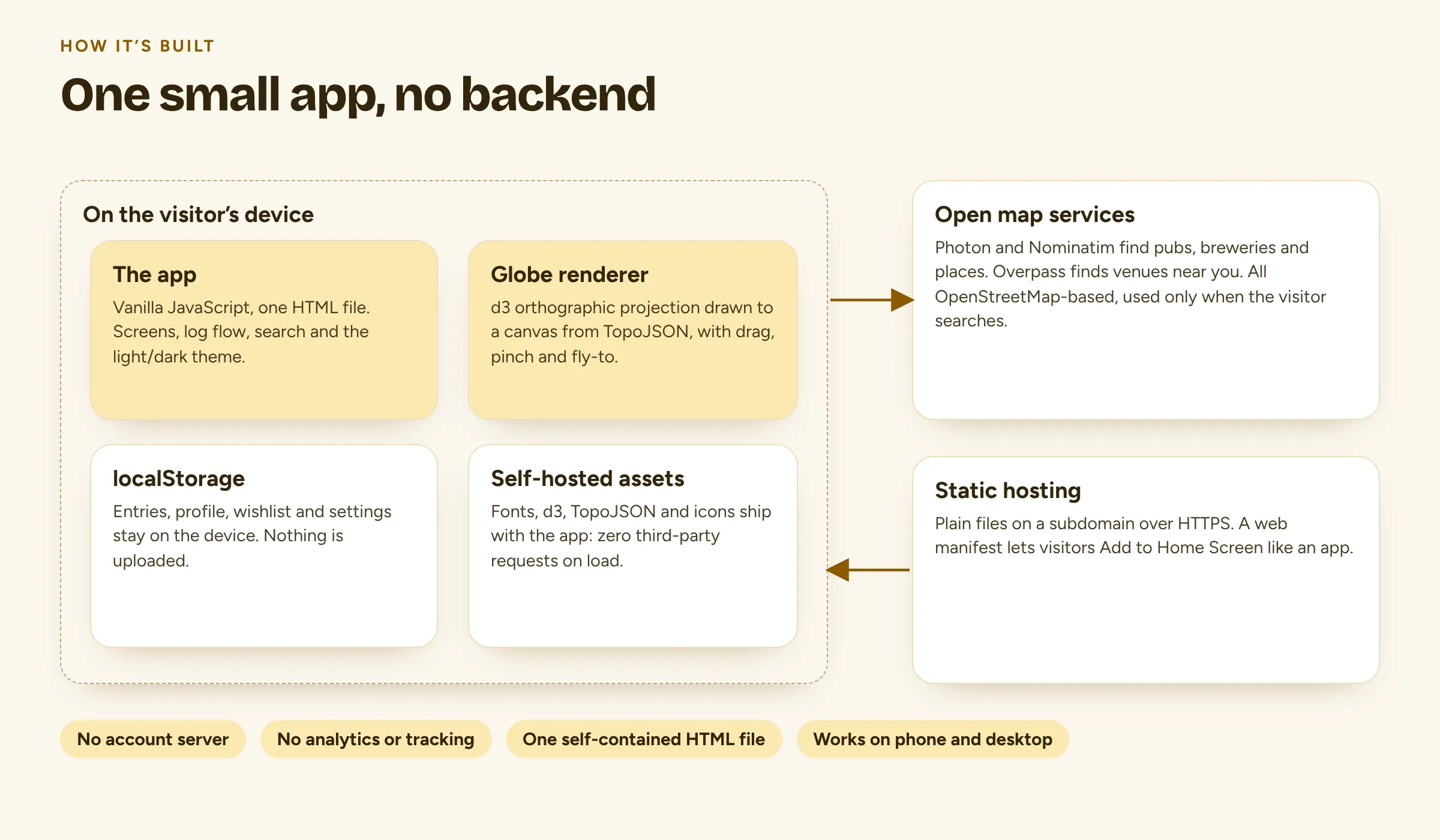
One self-contained HTML file with a canvas globe drawn by d3. Data stays on the device, in the browser's local storage. Fonts and libraries are self-hosted, so the app makes no third-party requests on load. Place search uses OpenStreetMap-based services, and only when someone searches.
It's hosted as plain files on a subdomain and can be added to a phone's home screen like an app.
By the numbers
- beers in the catalogue
- 238
- breweries
- 200
- countries
- 55
- beer styles
- 18
- city shortcuts
- 57
- third-party requests on load
- 0
Walkthrough
A full tour of the app in just over a minute: the globe, exploring the catalogue, logging a beer, friends and your profile.
Try it here
This is the real app, not a recording. Spin the globe, explore the catalogue or log a beer of your own. It's in demo mode, and anything you log stays on your device.
On your phone, open it full screen and add it to your home screen to use it like an app.
Carried into the next project
Lessons learned
One clear job makes every decision easier
Including what to delete. Once the app's job was “log a beer and see it on the globe”, cutting the mini-game was obvious, even though it worked.
Search is part of the interface
Forgiving matching and a way out of every empty state mattered more than extra features. Most frustration lives in the moments where an app says “no results”.
Automate the accessibility checks
Contrast checks are quickest when they run on every screen automatically, rather than relying on spotting problems by eye one screen at a time.